AI Photo Booth in Two Weeks
How a casual Discord message turned into an AI-powered photo booth serving 150+ people at our Winter Bash meetup — built in just two weeks.
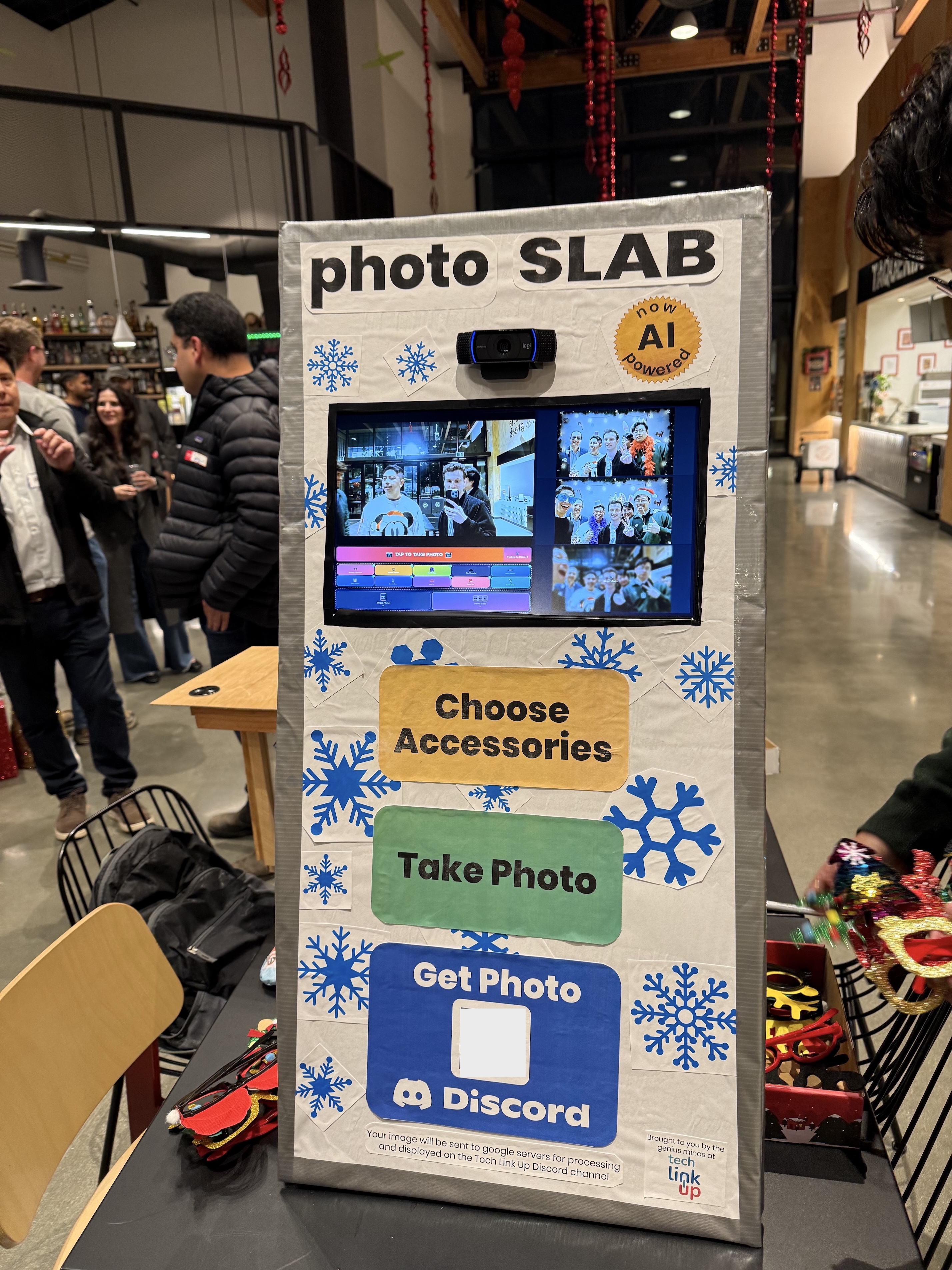
In December, we threw our biggest event of the year — The Winter Bash — a holiday party for the local tech community. This year we were expecting 150+ people. Two weeks away from the event, we decided to add an interactive tech display.
We built an AI-powered photo booth. Take a photo and AI edits the image — placing you inside a photo booth backdrop and adding fun accessories. The whole thing runs on a Raspberry Pi.
We built this in two weeks, here's how it came together.
The Spark — Day 0
The idea to make a photobooth emerged in the organizer planning session for the upcoming event, using AI was the next obvious step.
Gemini "Nano Banana" Flash had just come out, and this new image model could precisely edit images in seconds. Instead of buying physical props, setting up a professional backdrop, and rigging studio lighting — all the things a traditional photo booth needs — we could have AI handle all of it. Someone steps up, takes a photo, and sees a transformed version of themselves wearing fun accessories, standing inside a stylized photo booth background.
The clock was already ticking. Two weeks until 150 people walk through the door.
30-Minute MVP — Day 1
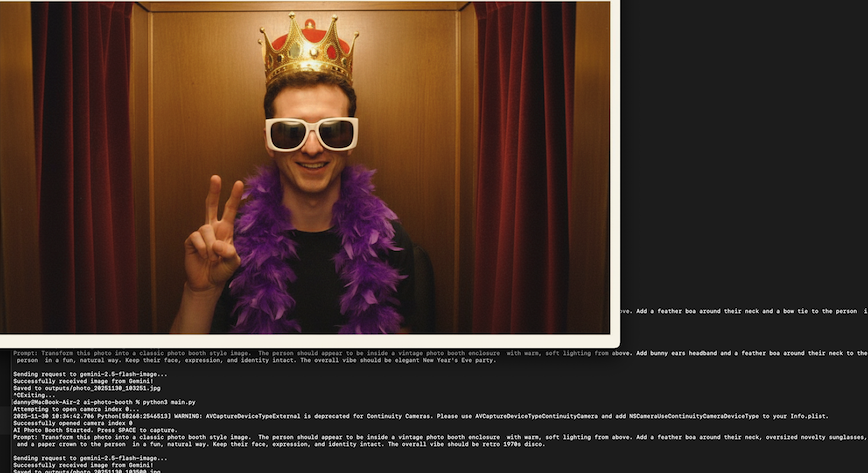
I wanted to build a quick MVP to get some quick feedback from the other organizers if this was even something we wanted to pursue. I sat down and built a working prototype in about 30 minutes — just enough to capture a webcam photo and send it to Gemini for transformation. It was rough, but it worked.
AI was not only powering the image editing, but also writing most of the code.
I dropped the prototype in the organizer group alongside a quick explanation of the concept. The response was immediately positive, and that gave me the motivation to continue my “vibe code” session and stick with this project, two weeks suddenly felt possible.
Initial 30 min prototype
Vibe coding — Day 4
I spent the next five days hacking on the software — building out the frontend, the camera integration, image editing pipeline.
Circa early December 2025, Cursor and Claude Code with Sonnet 4 was incredible - a full-stack app that in pre-AI days would have taken weeks or even months to build, I could now spin up in a few hours (and tweak for a few more).
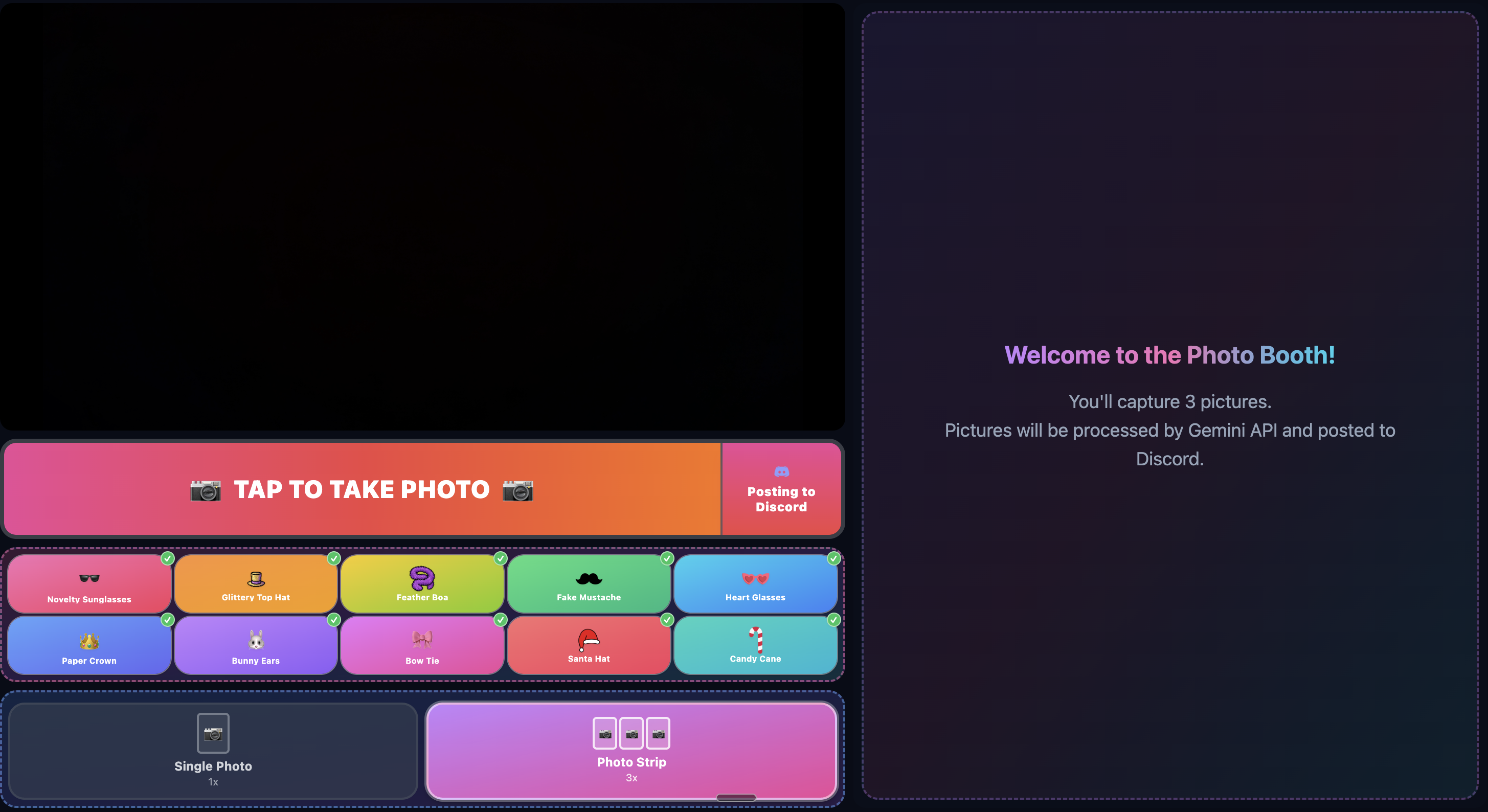
This project made something click for me — with agentic AI coding, the job shifts toward architecture, product vision, and code review.
First Live Test — Day 6
Our weekly Tech Link Up meetup, and I thought it would be cool to get real-time feedback. I demoed it to a small group of about five people. It was a hit - was this the elusive product market fit?
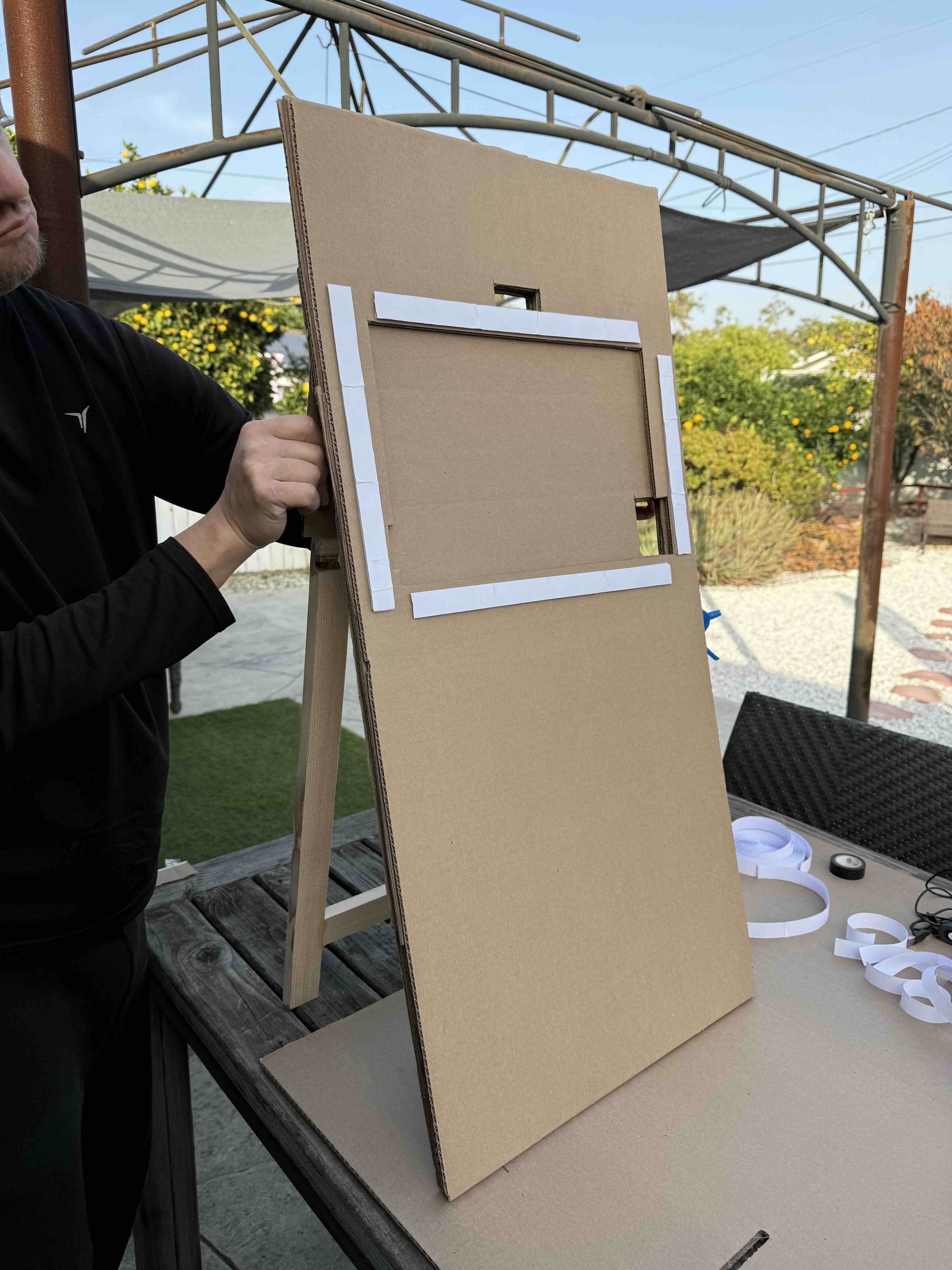
At this point I shared my simple hardware plan: a camera on a tripod, a Raspberry Pi, and a ring light. Functional, but a bit scrappy. I asked if anyone wanted to collaborate, and Gideon stepped up with a much better vision. He proposed a photo booth frame made from layered cardboard and wood; something that could house the screen, camera, and hide a computer behind it.
On the weekend before the event we assembled this beauty:
Prompt Engineering — Days 7–10
Getting the prompt right for AI image editing required a black-box iteration testing process (LLMs are a black box). I was my own guinea pig — taking photo after photo of myself, tweaking the prompt, running it through Gemini, and evaluating the output.
Unexpectedly, Gemini Nano-Banana would alter people's faces — smoothing skin or adding hands. Other times If someone was turned away from the camera, it might just invent a face for them. Getting the model to preserve the original person — including their imperfections, blur, and awkward poses — while still adding the fun photo props took a lot of careful prompt work.
I found that small tweaks to the prompt would produce drastically different results, this is because foundation models have issues with ambiguity or conflicting instructions - something that is glaringly obvious when the output is an image. For instance: removing a single phrase “this is a winter wonderland photobooth” resulted in better character consistency.
I landed on a prompt that produced clean results about 90% of the time.
I generated a consistent photo booth backdrop; the model composites this background image with a freshly captured photo. This gave us visual consistency across every photo taken that night.
Making It Run on a Pi — Days 10–12
With the software working on my laptop, the next challenge was getting it to run smoothly on a Raspberry Pi. The Pi is a great little computer for kiosk applications, but it's not exactly a powerhouse.
I set up a touchscreen display, mounted the webcam, and configured Chromium to run in kiosk mode — full screen, no browser UI, auto-start on boot via a systemd service. The camera permissions are auto-granted so no one has to click "Allow" in the middle of taking a photo.
The main performance issue was the camera feed. The live preview was dropping frames on the Pi's hardware. I had to make some optimizations around how the video stream was rendered — specifically around the GL rendering pipeline — to get a smooth preview that didn't stutter. I also disabled Sharp's image processing cache to prevent memory leaks during extended use, since this thing needed to run for hours straight at the event without crashing.
By day 12, the software was stable on the Pi. Now we just needed to put it all together.
Showtime — Day 14: Winter Bash
Assembly time on-site. At the event, we put the physical booth together — fitting the touchscreen into the cardboard frame, mounting the camera, routing cables, and hiding the Raspberry Pi behind the structure. Miraculously, it all worked!
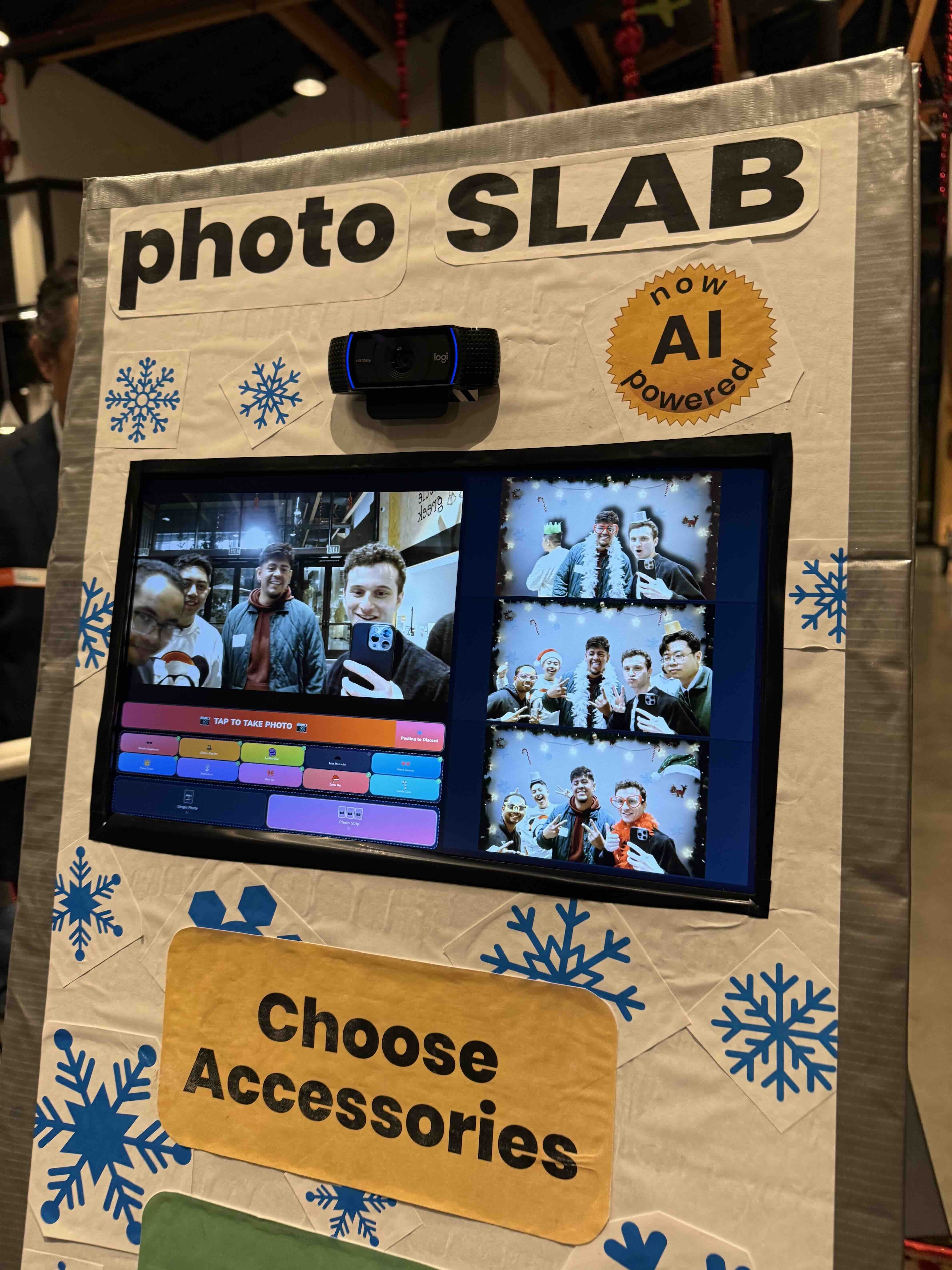
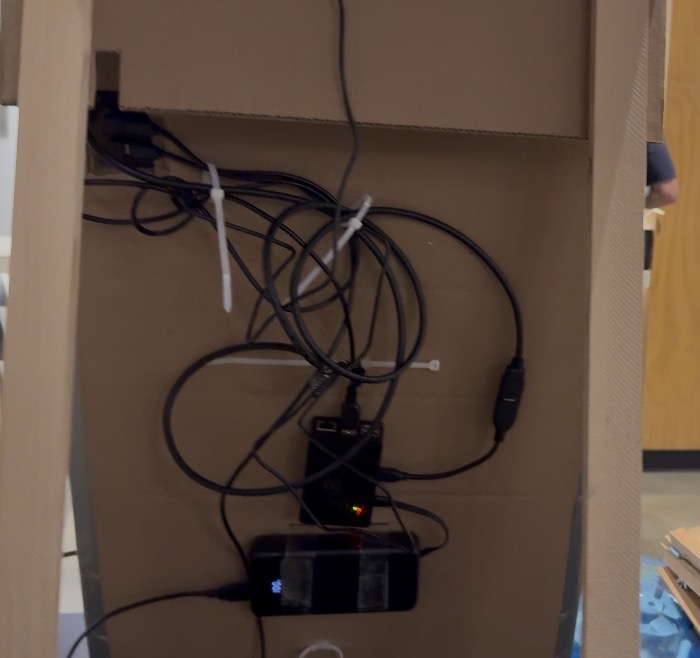
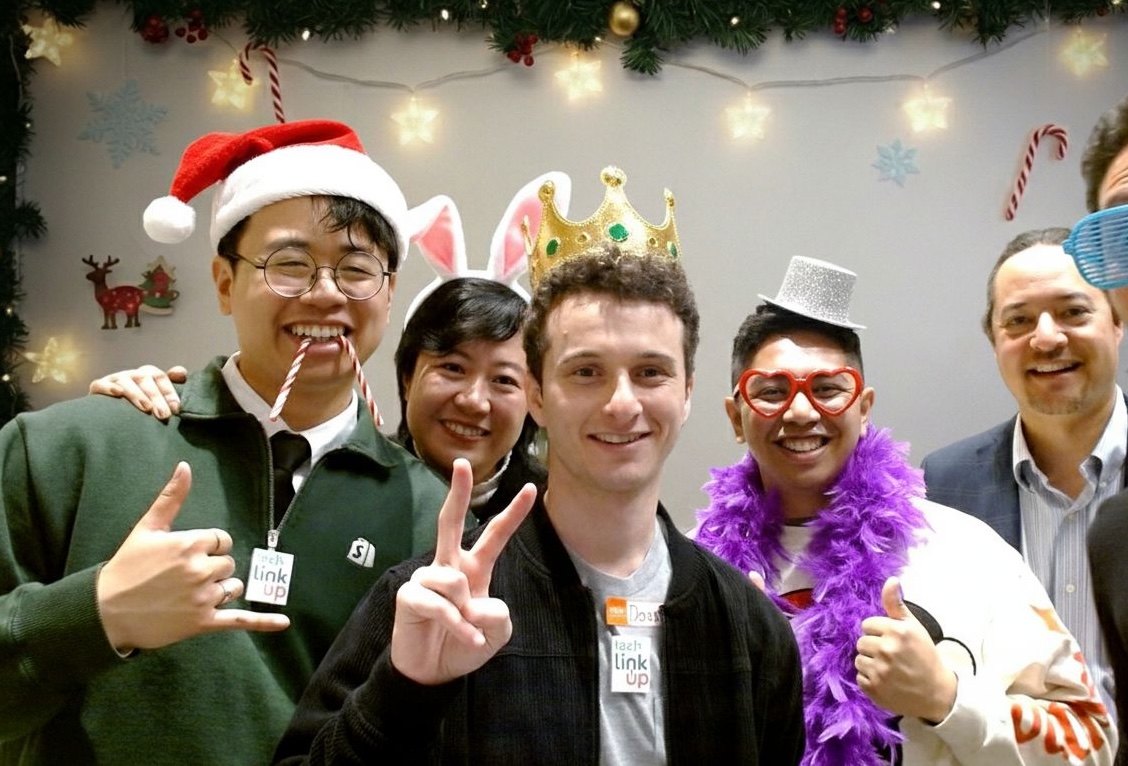
The event had over 150 people, and the booth was a magnet. Throughout the night, people had a blast taking group pictures and seeing their transformations in real time. Nothing beats seeing something you built spread holiday cheer!
The Breakdown
Total API cost for the event: ~$5
Tech stack: TypeScript, React, Express, Raspberry Pi, Google Gemini API, Sharp, Discord.js, Tailwind CSS
Hours spent fixing bugs: A lot of hours
Well worth it.